Chat with us, powered by LiveChat

UTM for Outbrain

Dynamic UTM for Outbrain

Outbrain Dynamic UTM Setup

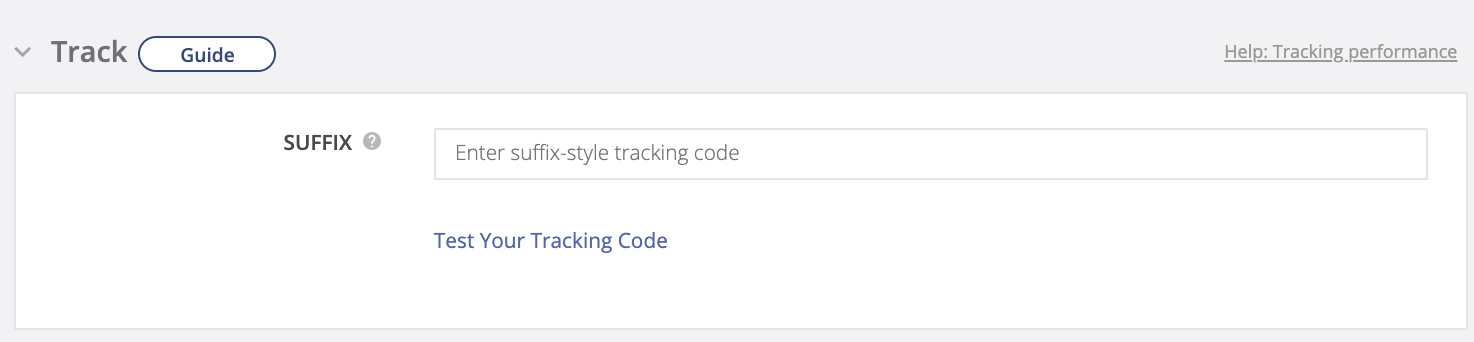
  1. Navigate to the Tracking section within your Outbrain campaign settings.
  2. Locate the “SUFFIX” field and insert the following template:
    utm_source=Outbrain&utm_medium=Discovery&utm_campaign=your_campaign_name&utm_content={{ad_title}}&AdPos={{publisher_name}}_{{section_name}}
  3. Replace “your_campaign_name” with the name of your campaign. and save your changes.Suffix location in Outbrain campaign settings

Maximize Your Advertising ROI with Leader and Dynamic UTM

Unleash the power of Dynamic UTMs to gain a comprehensive understanding of your Outbrain campaigns. Track revenue generated from campaigns, contenr, and even individual publishers name, all within the intuitive Leader platform. Witness the complete customer journey, from click on your ad to business outcome, and optimize your campaigns for maximum ROI.

Unveiling the Power of Dynamic UTM Templates

Let’s explore the data you can track with dynamic UTM templates in Outbrain:

  • utm_source: See where your traffic comes from. In this case, it’ll always be “Outbrain”.
  • utm_campaign: Track how each specific Outbrain campaign performs.
  • utm_content: Discover which headlines capture the most attention. Optimize your campaigns based on the winners!
  • content_site: Find out where your ad showed up on the Outbrain Network (Publisher name).
  • AdPos: See which sections of publisher sites your ad appeared in. Learn which sections send the most engaged traffic and adjust your strategies accordingly.
  • utm_medium: This tells you the advertising medium used, which is “Discovery” for Outbrain.

With dynamic UTM templates, you’ll unlock a deeper understanding of your Outbrain campaigns, allowing you to refine your targeting, optimize your headlines, and ultimately boost your advertising profitability.

Leader 2026 © | Platform for campaign management, lead management and resources for better marketing
Accessibility