Chat with us, powered by LiveChat

How to Broadcast leads from Leader to Monday

How to get your API token from monday

Go to your Monday account and click on “Developers”

In the developer center click on “My access tokens”

This is the token you will use in the Leader broadcast
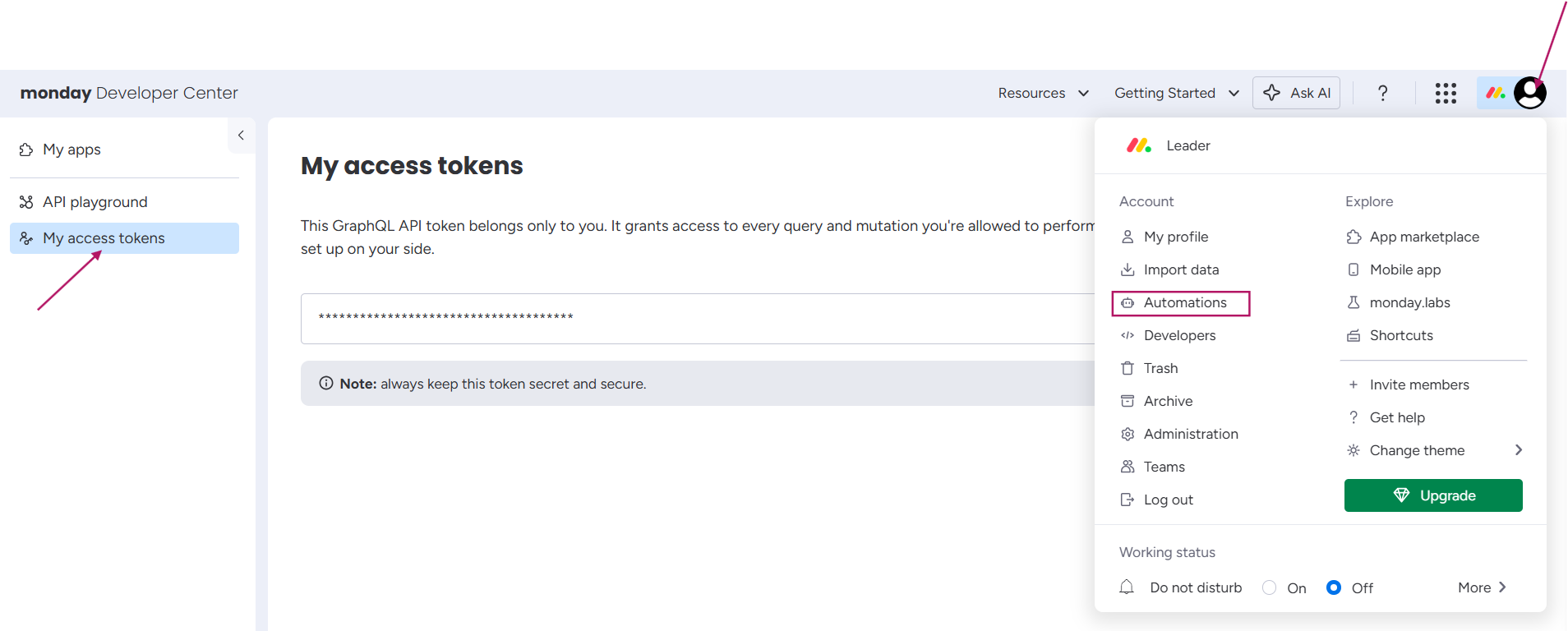
How to get the API token from monday

Broadcast from Leader to Monday


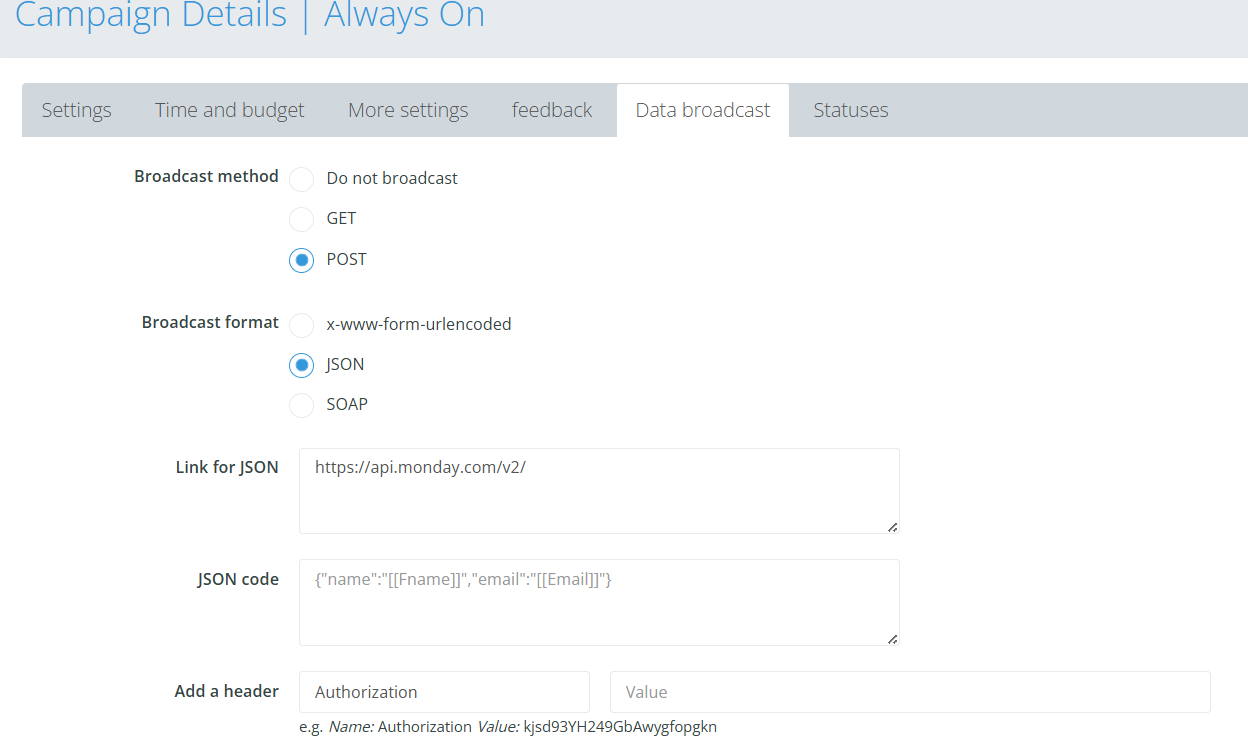
Go to your campaign setting in Leader

Click on the data broadcast tab and choose the following settings:

Broadcast method – POST

Broadcast method – JSON

In the link for JSON paste the following link: https://api.monday.com/v2/

And format your JSON code according to the example:
(add the fields that you want to get in Monday)

{ “query”: “mutation { create_item (board_id: 1234567890, group_id: \”new_group123\”, item_name: \”[[Fname]]\”, column_values: \”{ \\\”email_column_id\\\”: { \\\”email\\\”: \\\”[[Email]]\\\”, \\\”text\\\”: \\\”[[Email]]\\\” }, \\\”phone_column_id\\\”: \\\”[[Phone]]\\\” }\”) { id } }” }

Add a header named Authorization and paste the API token you got from Monday in the value

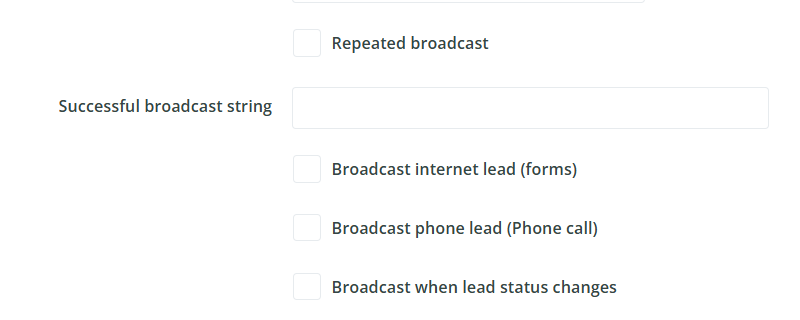
Data broadcast settings

Choose to what leads to broadcast

Broadcasts sending settings

Click “Save”

Leader 2026 © | Platform for campaign management, lead management and resources for better marketing
Accessibility