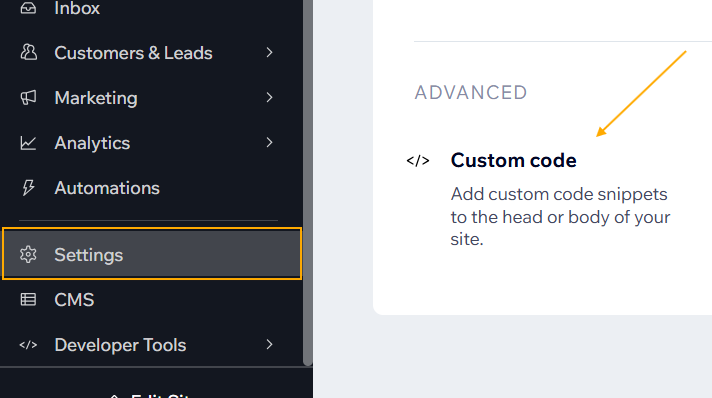
To install the Leader Pixel on your Wix website, begin by accessing the Custom Code section in your Wix dashboard.
Navigate to Settings in the menu, then scroll down to the Advanced section and select Custom Code.
Within the Custom Code settings, choose Add Custom Code

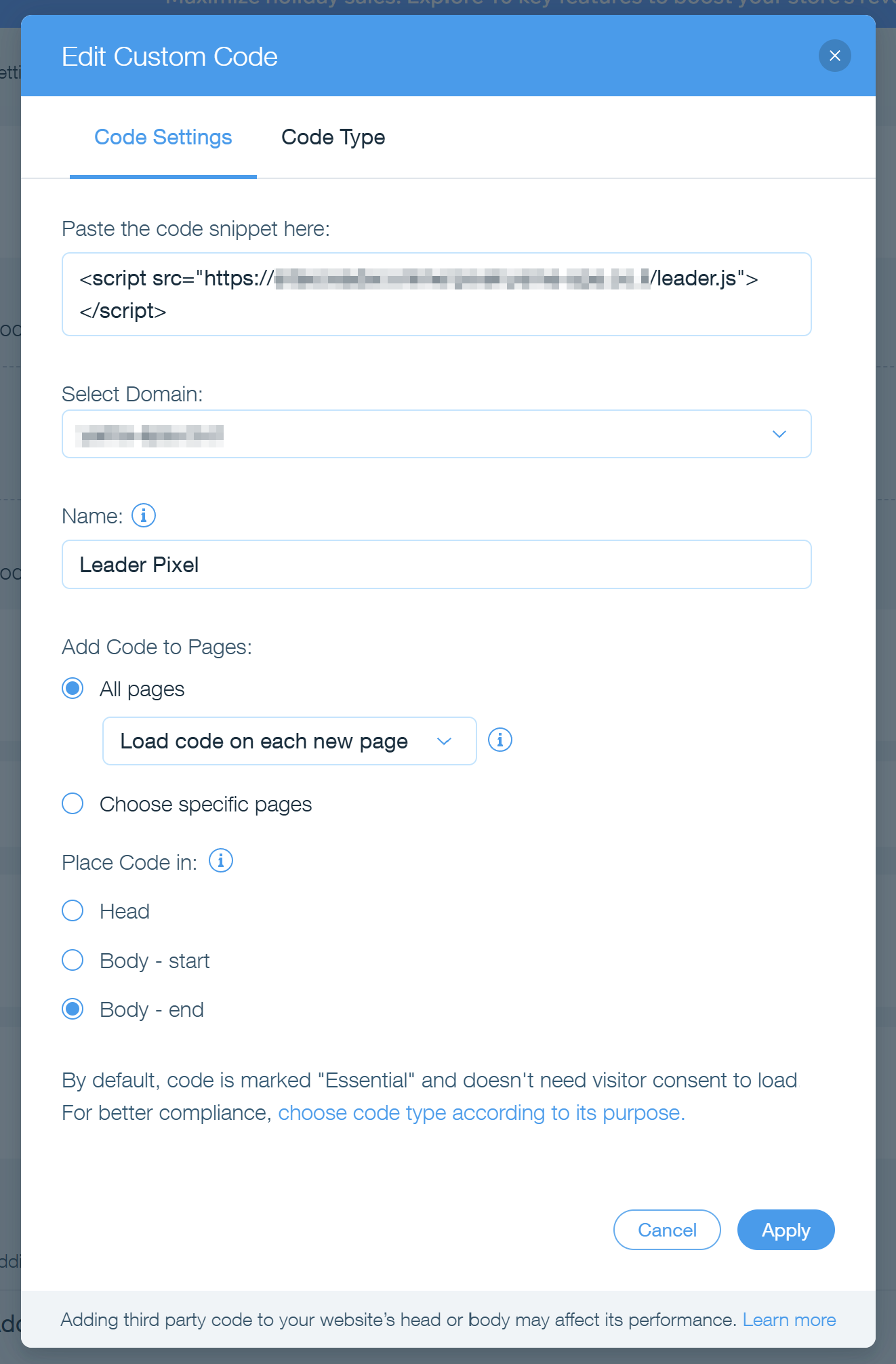
Paste the Leader Pixel code snippet into the designated field.
For easier identification, label the code as “Leader Pixel” in the Name field.
Choose to load the code on all pages.
To control its position within the page structure, Body – end.
Once configured, click Apply to save the code. Your Leader Pixel is now integrated and will function as specified.