Chat with us, powered by LiveChat

Make Guide

Add leads from Leader to your Monday

Setting Up Leader to Monday Integration Using Make

Step 1: Create a Webhook in Make

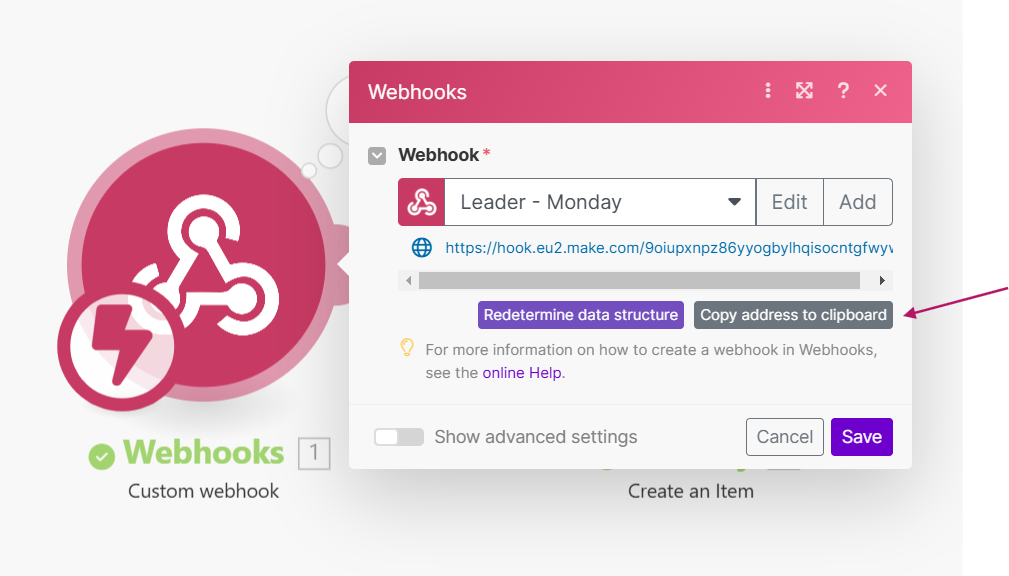
  1. In Make, add a Custom Webhook module to your scenario.
  2. Provide a name for your webhook (e.g., “Leader – Monday”).
  3. Save the webhook setup.
  4. Copy the generated webhook link by clicking Copy address to clipboard.

custome webhook copy link

Step 2: Configure Data Broadcast in Leader

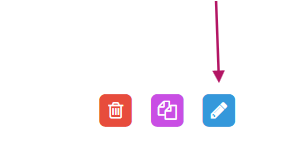
  1. In Leader, navigate to your Campaign Settings and click Edit Campaign.
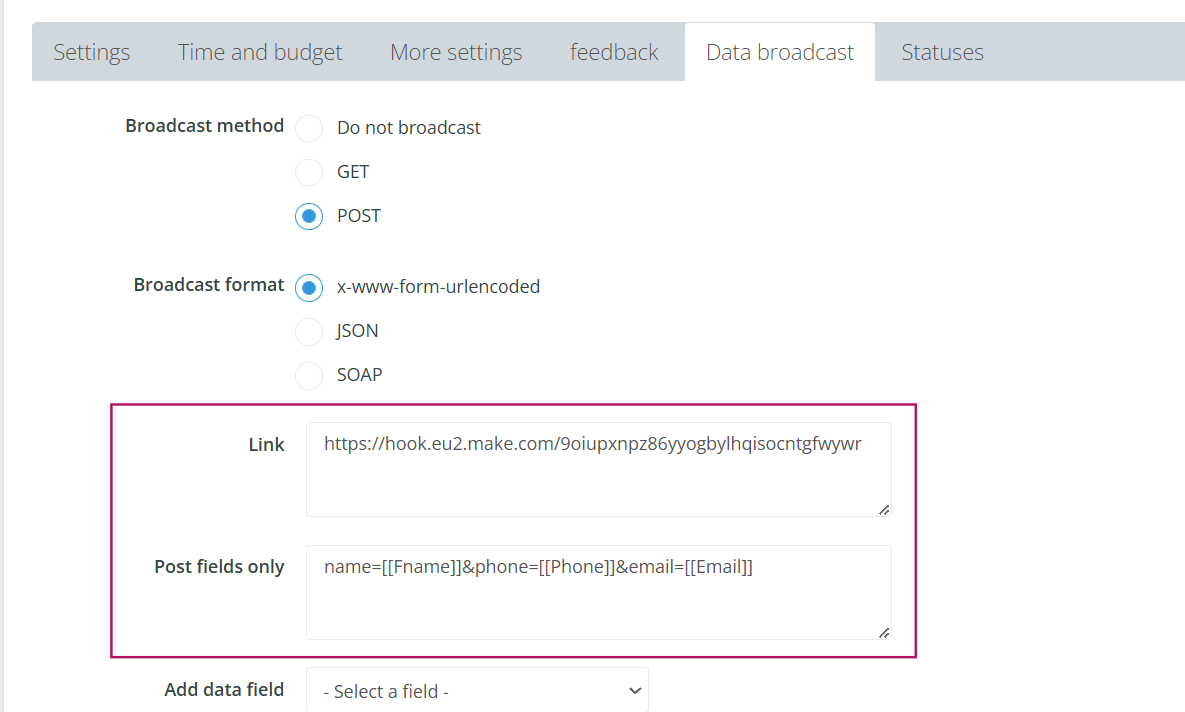
  2. Go to the Data Broadcast tab in the campaign settings.
  3. Choose the following options in the broadcast configuration:
    • Broadcast Method: Select POST.
    • Broadcast Format: Choose x-www-form-urlencoded.
  4. Paste the webhook link (copied from Make) into the Link section.
  5. In the Post Fields Only section, define the data fields you want to send to Monday.

campaign settings

broadcast setup

Step 3: Test the Webhook and Generate Sample Data

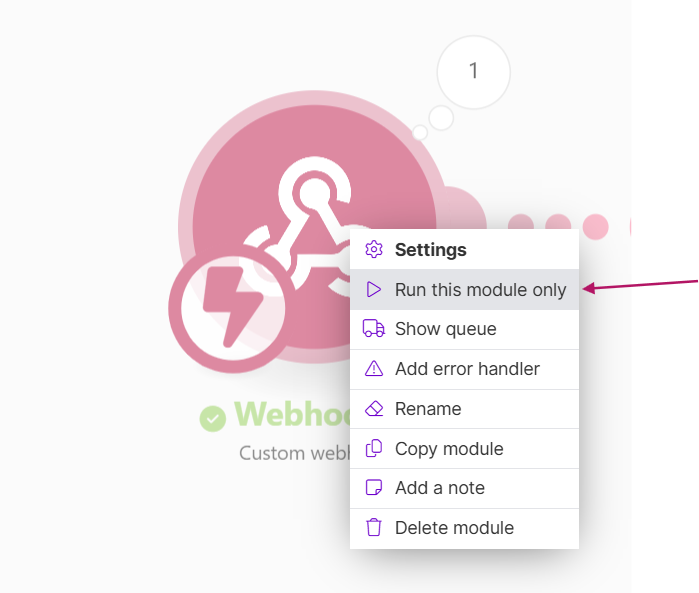
  1. In Make, click the Run this module only.
  2. Go to Leader and manually add a lead in the campaign with the configured data broadcast.
  3. Ensure the lead includes all the details you want to receive in Monday (e.g., Name, Phone, Email).
  4. The Webhook module in Make will capture the lead’s details, generating sample data for use in the next step.

    (Verify that the Webhook module successfully captures the data in Make.)

Step 4: Map Fields in Monday

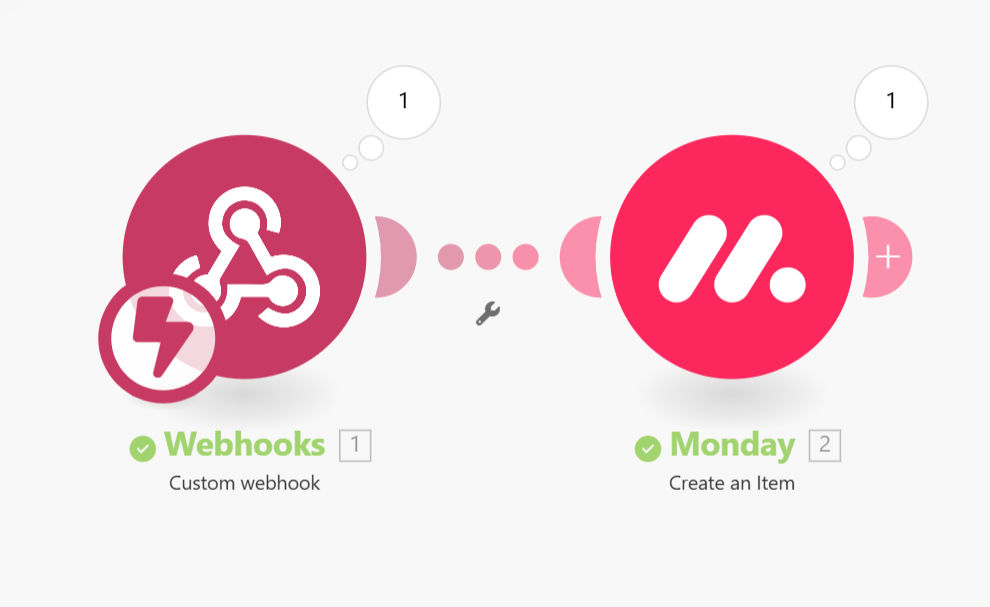
  1. In your Make scenario, add the Monday module after the Webhook.
  2. Select the action Create an Item.
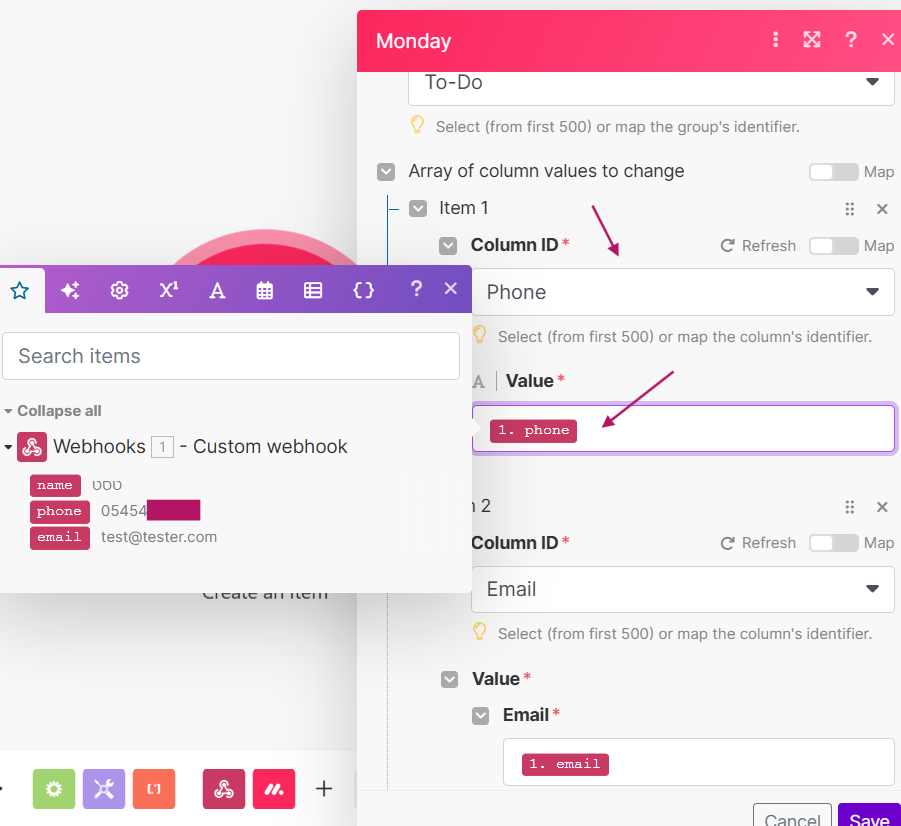
  3. Use the sample data captured from the Webhook to map fields to their respective columns in Monday:
    • Map 1.phone to the Phone column.
    • Map 1.email to the Email column.
  4. Save the scenario and ensure the connection is active.

    monday setup

    Step 5: Test the Integration

    1. Send test data from Leader using the configured campaign.
    2. Verify that the data appears in the correct columns in Monday.

Leader 2026 © | Platform for campaign management, lead management and resources for better marketing
Accessibility