Chat with us, powered by LiveChat

UTM for Facebook Ads

Dynamic UTM for Facebook Ads

Facebook Ads Dynamic UTM Setup in Under a Minute

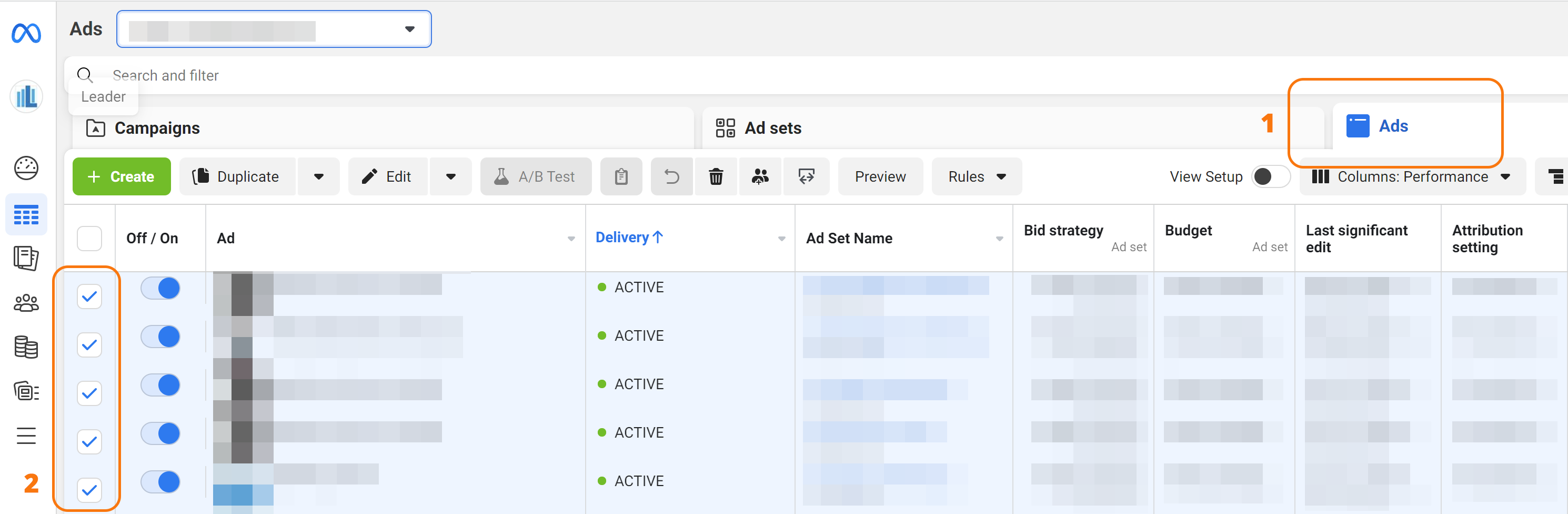
  1. Select All Active Ads: Navigate to your Meta Ads Manager and select all active ads.
    URL Options Location in Meta Ads Manager. Image 1 of 3.
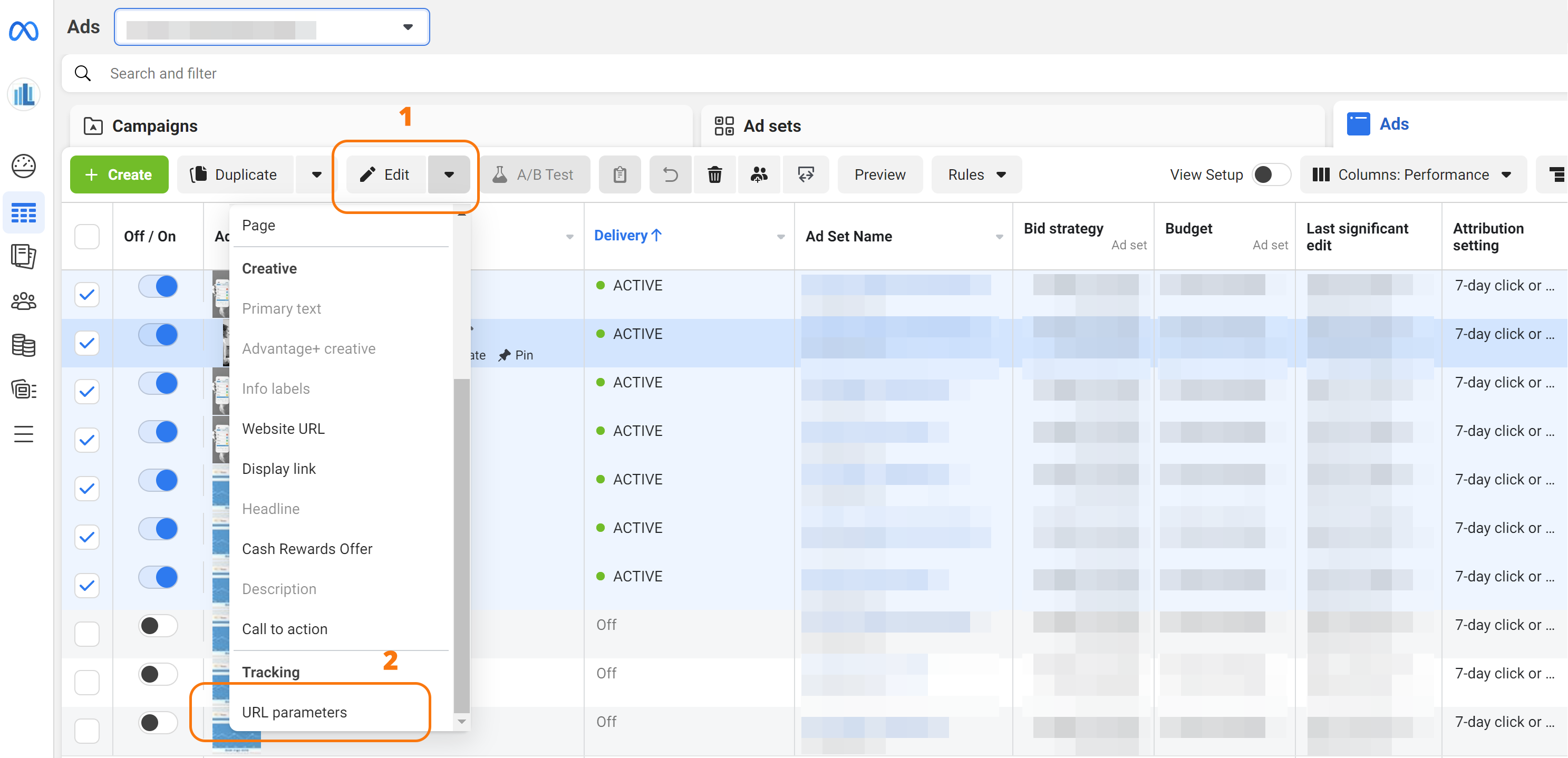
  2. Access URL Parameters: Click on the arrow next to the “Edit” button for the selected ads and choose “URL Parameters” from the drop-down menu.
    URL Options Location in Meta Ads Manager. Image 2 of 3.
  3. Insert Dynamic UTM Template: Locate the first line “Edit all selected ads” field and insert the following template:
    utm_source={{site_source_name}}&utm_campaign={{campaign.name}}&AgId={{adset.name}}&utm_content={{ad.name}}&AdPos={{placement}}&utm_medium=cpc

    Save Changes: Click “Save” to apply the Dynamic UTM template to your ads.
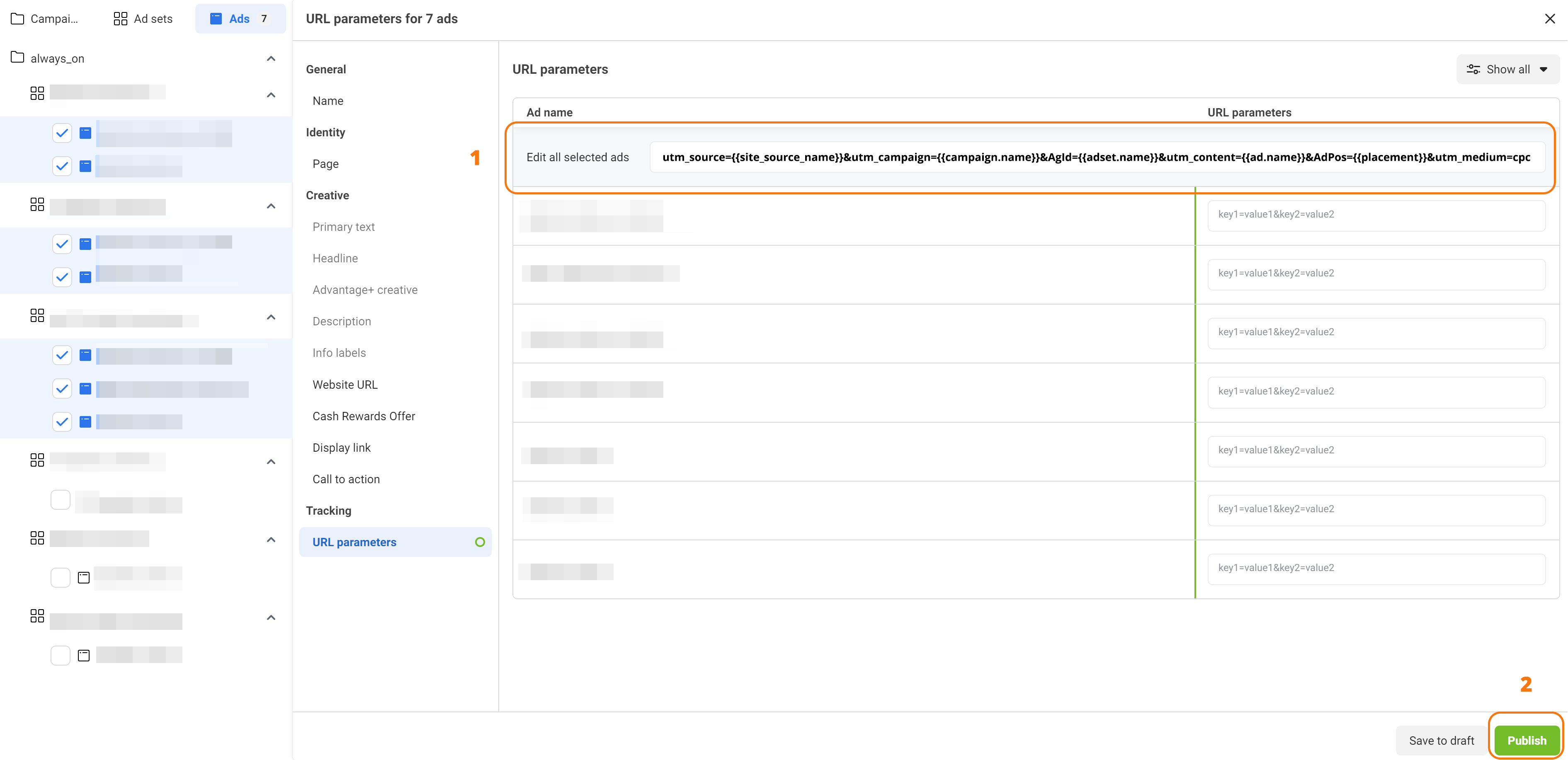
    URL Options Location in Meta Ads Manager. Image 3 of 3.

Maximize Your Advertising ROI with Leader and Dynamic UTM

Unleash the power of Dynamic UTMs to gain a comprehensive understanding of your Facebook and Instagram campaigns. Track revenue generated from campaigns, ad groups, and even individual Audience, all within the intuitive Leader platform. Witness the complete customer journey, from click on your ad to business outcome, and optimize your campaigns for maximum ROI.

Unveiling the Power of Dynamic UTM Templates

Let’s delve into the specific data fields that dynamic UTM templates can capture:

  • utm_source: Indicates the source of the traffic, in this case, “fb” or “ig” (source is dynamic and can be either Instagram or Facebook, represented by two letters).
  • utm_campaign: The campaign Name.
  • AgId: The ad group is crucial in Facebook and Instagram because each ad group represents an actual audience. This is a key data point for understanding performance on these platforms.
  • utm_content: Specifies the name of the specific ad (creative) that was displayed.
  • AdPos: Indicates the position of the ad within Facebook or Instagram (Instagram story, Facebook news feed, and other locations).
  • utm_medium: Indicates the advertising medium (in this case, “cpc” for cost-per-click).

With dynamic UTM templates in place, you’ll gain a comprehensive understanding of how your Meta Ads campaigns are performing, enabling you to optimize your strategies and maximize your return on investment.

Leader 2026 © | Platform for campaign management, lead management and resources for better marketing
Accessibility