Chat with us, powered by LiveChat

UTM for Linkedin

UTM parameters for Linkedin

Linkedin UTM Setup

  1. Copy this template:
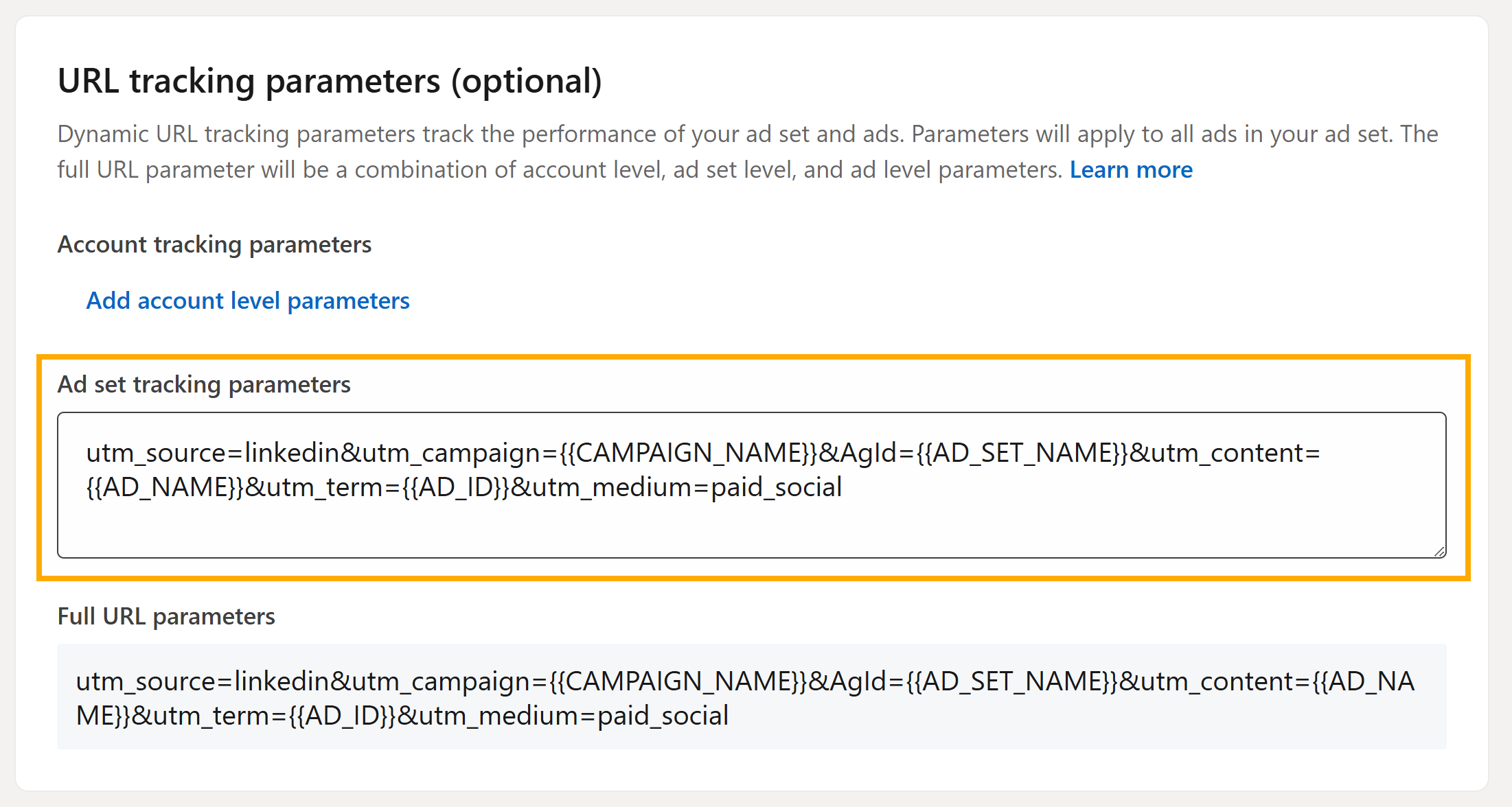
    utm_source=linkedin&utm_campaign={{CAMPAIGN_NAME}}&AgId={{AD_SET_NAME}}&utm_content={{AD_NAME}}&utm_term={{AD_ID}}&utm_medium=paid_social
  2. Within your LinkedIn Campaign Manager, navigate to the “Ad set tracking parameters” field within your ad set settings.
  3. Paste the template and save your changes.

Maximize Your Advertising ROI with Leader and UTM

Leader’s intuitive platform seamlessly integrates with UTM parameters, providing a comprehensive overview of your LinkedIn campaigns:

  • Track revenue generated from specific campaigns and ads.
  • Follow the complete customer journey, from initial click to conversion.
  • Identify the most profitable channels, campaigns, and ads.
  • Optimize your budget allocation for maximum ROI.

Make Data-Driven Decisions for Success

Let’s explore the data you can track with dynamic UTM templates in Linkedin:

  • utm_source: Indicates traffic origin (always “linkedin” for LinkedIn ads).
  • utm_campaign: Identifies the campaign name as defined in Campaign Manager.
  • utm_content: Specifies the ad name as defined in the Ads tab.
  • utm_medium: Designates the advertising medium, “social_ads” for LinkedIn.

UTM templates unlock a deeper understanding of your Linkedin campaigns, empowering you to refine targeting, optimize ads, and ultimately boost your advertising profitability.

Leader 2026 © | Platform for campaign management, lead management and resources for better marketing
Accessibility